A second brain beside Claude Code.
A terminal pane that follows one Claude Code session. It shows every TachiBot call in full, has a second model check each one against your project memory, and sends Claude the message you approved.
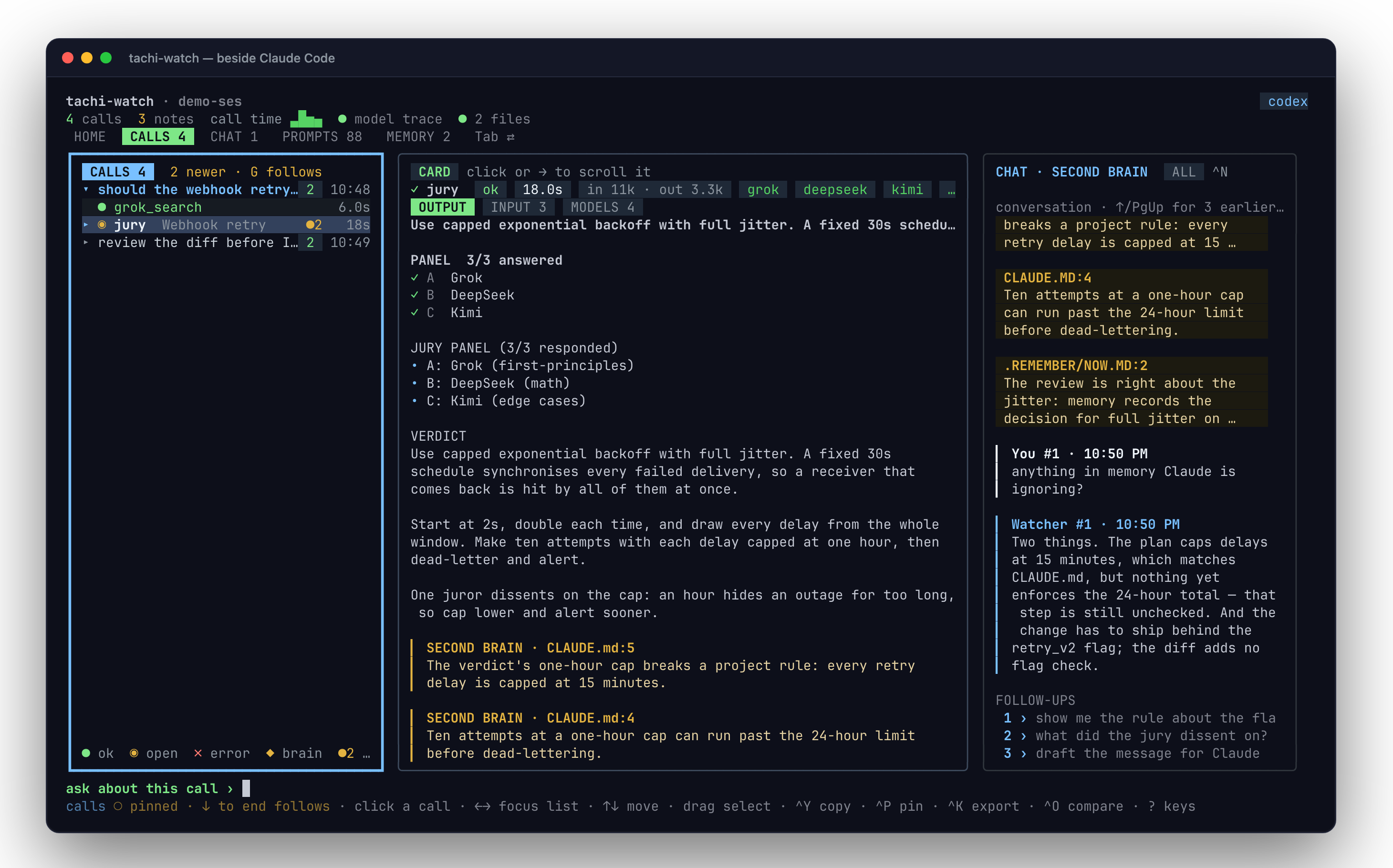
The real pane, showing a staged session. node scripts/watch-demo.mjs in the repo writes it.
One command, from inside Claude Code.
The pane opens in a split beside Claude and follows that session. It reads Claude Code's transcript and TachiBot's trace; it never writes to either.
1# from inside Claude Code: opens a split beside it2! tachi-agent watch --open3 4# pick the second model5! tachi-agent watch --open --brain claude # claude[:model] | codex | gemini | grok | driver[:name]^F searches every call's output, ^O compares two.CLAUDE.md, AGENTS.md, Claude Code's auto-memory and .remember/, and optionally dokoro recall. Its notes cite the file and line they rest on.1–3.Enter.Nothing reaches Claude until you approve it.
The second brain may propose a message; ^S sends it, ^E edits it, Esc drops it. @claude <text> sends your own words.
1tachi-agent watch --install-hooks # this project (.claude/settings.local.json)2tachi-agent watch --install-hooks --global # every project (~/.claude/settings.json)3tachi-agent watch --uninstall-hooksA Claude Code hook carries the message, so the terminal does not matter. Restart Claude Code after installing. The hook hands Claude what you sent at its next step: after a tool call, when it finishes a turn (it then carries on with your message), or with your next prompt. The pane shows a receipt when Claude has it.
Nothing is typed into Claude's prompt, so a message can never answer one of its dialogs. A message that waits an hour is dropped, and the pane says so.
Opening the split and sending are separate jobs.
The split needs a terminal that can be scripted. Sending does not, once the hook is installed.
| Terminal | watch --open splits it | Sends to Claude |
|---|---|---|
| cmux | yes | yes, with a delivery receipt |
| Herdr, Herdr app | yes | yes — typed into Claude's prompt, held while a dialog is open |
| tmux, zellij, WezTerm | yes | with the hook |
| kitty | yes, with allow_remote_control yes and listen_on in kitty.conf | with the hook |
| Ghostty 1.3+, iTerm2 | yes, on macOS, by AppleScript | with the hook |
| anything else | prints the command to run in a pane you split | with the hook |
The pane draws in 24-bit colour where the terminal has it and in the 256-colour palette elsewhere, and shows fewer sections on a short pane instead of squeezing them.
The model calls nested under each TachiBot call come from TachiBot's trace (TACHIBOT_TRACE_UI=1). The pane follows only the TachiBot that its own Claude session started, so it never shows another project's calls. That needs Claude's pid, which watch --open passes.
Keyboard first; the mouse works too.
| Key | Does |
|---|---|
| Tab / Shift+Tab | Next / previous view: HOME, CALLS, CHAT, PROMPTS, MEMORY |
| ↑ ↓ ← → | Move in the list; switch focus between list and card |
| ^F | Search every call's output |
| ^B | Behind the scenes: the model calls of the selected call |
| ^S / ^E / Esc | Send / edit / drop the proposed message |
| ^Y ^K ^P ^O | Copy, export, pin, compare the selected call |
| ^G ? ^C | Home, all keys, quit |